A closer look
App screenshots
These are genuine captures from the current development build, using made-up data. Not all launch features are shown. Status-bar details stay hidden. Choose a screenshot below, or open its zoomed view to see more detail.
Back to galleryCalendar
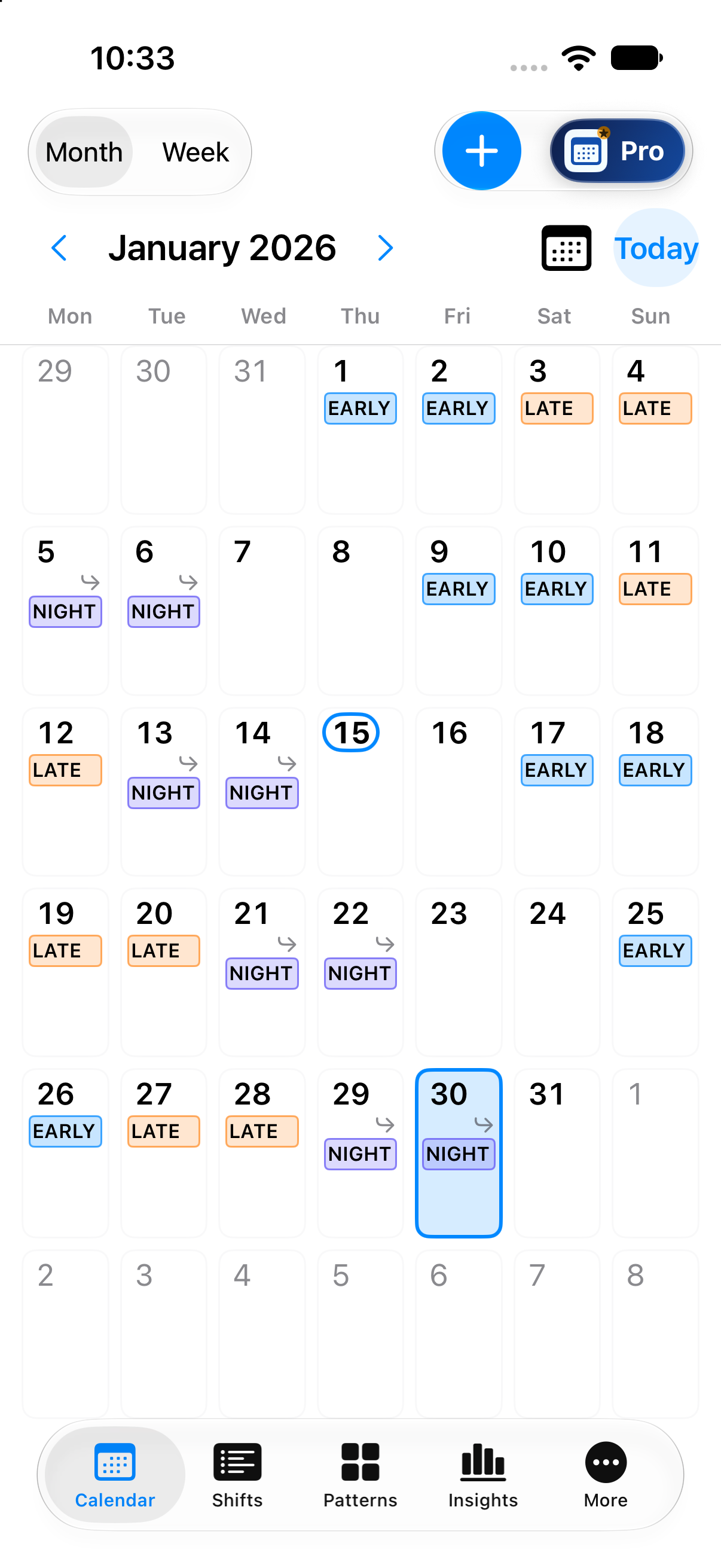
See your shifts on dates.
See 24 made-up shifts across January 2026, using EARLY, LATE and NIGHT to show your working days.
Zoom in for more detail
Scroll across and down to explore the image. Use the same heading to close this zoomed view.
Patterns
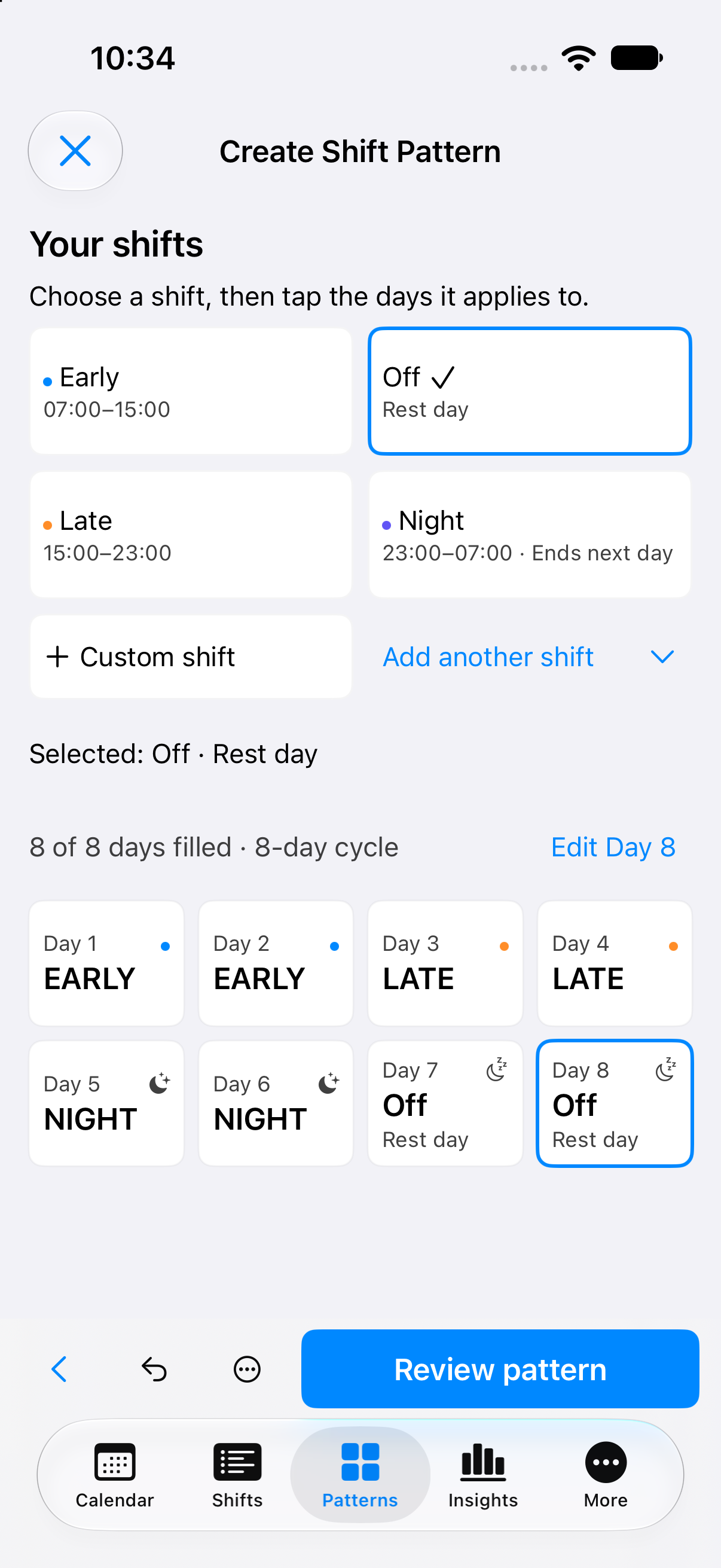
Build a repeating pattern.
Arrange the same shift types into an eight-day cycle: two EARLY, two LATE, two NIGHT and two rest days.
Zoom in for more detail
Scroll across and down to explore the image. Use the same heading to close this zoomed view.
Basic Insights
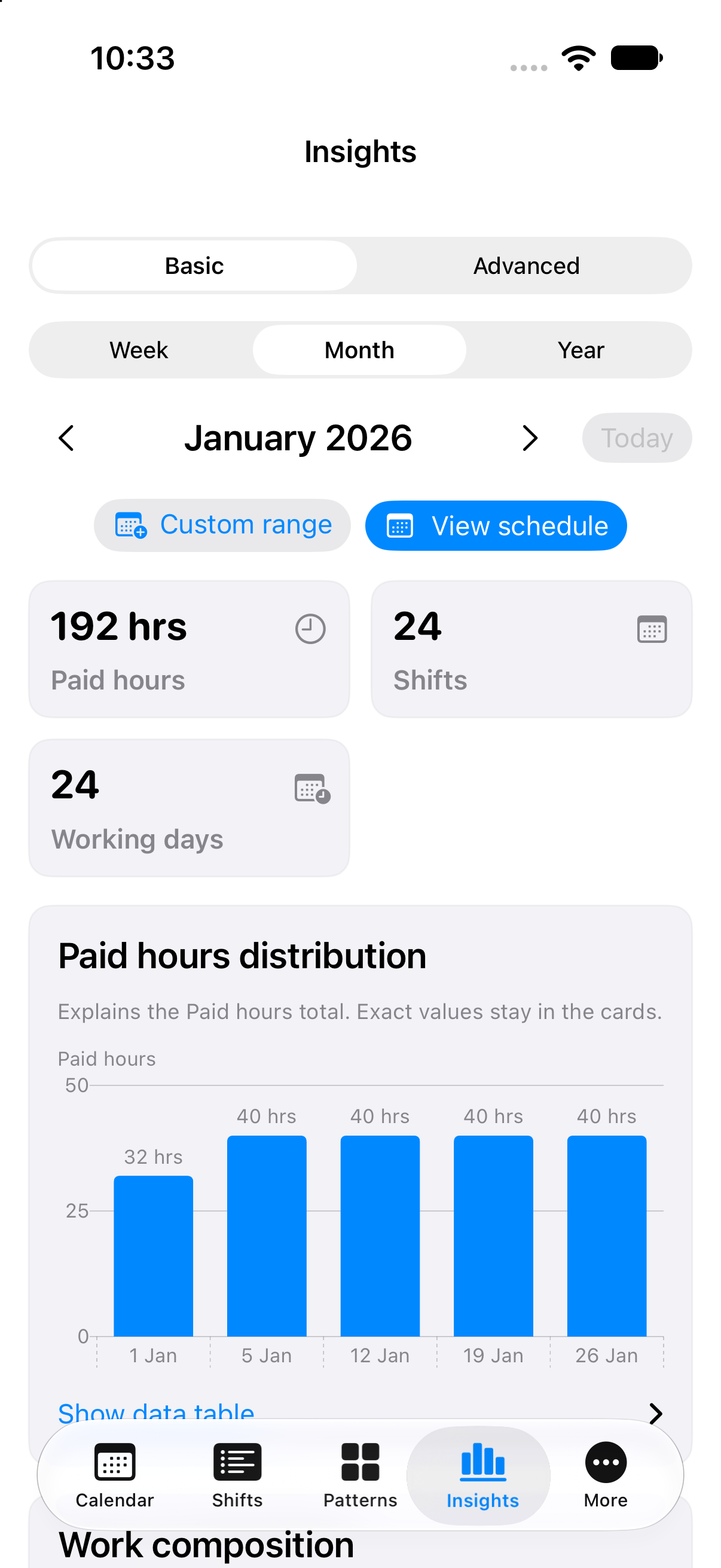
See the hours add up.
Review the January calendar’s totals: 24 eight-hour shifts and 192 paid hours, with a weekly hours chart.
Zoom in for more detail
Scroll across and down to explore the image. Use the same heading to close this zoomed view.
Pro Pay Period Earnings
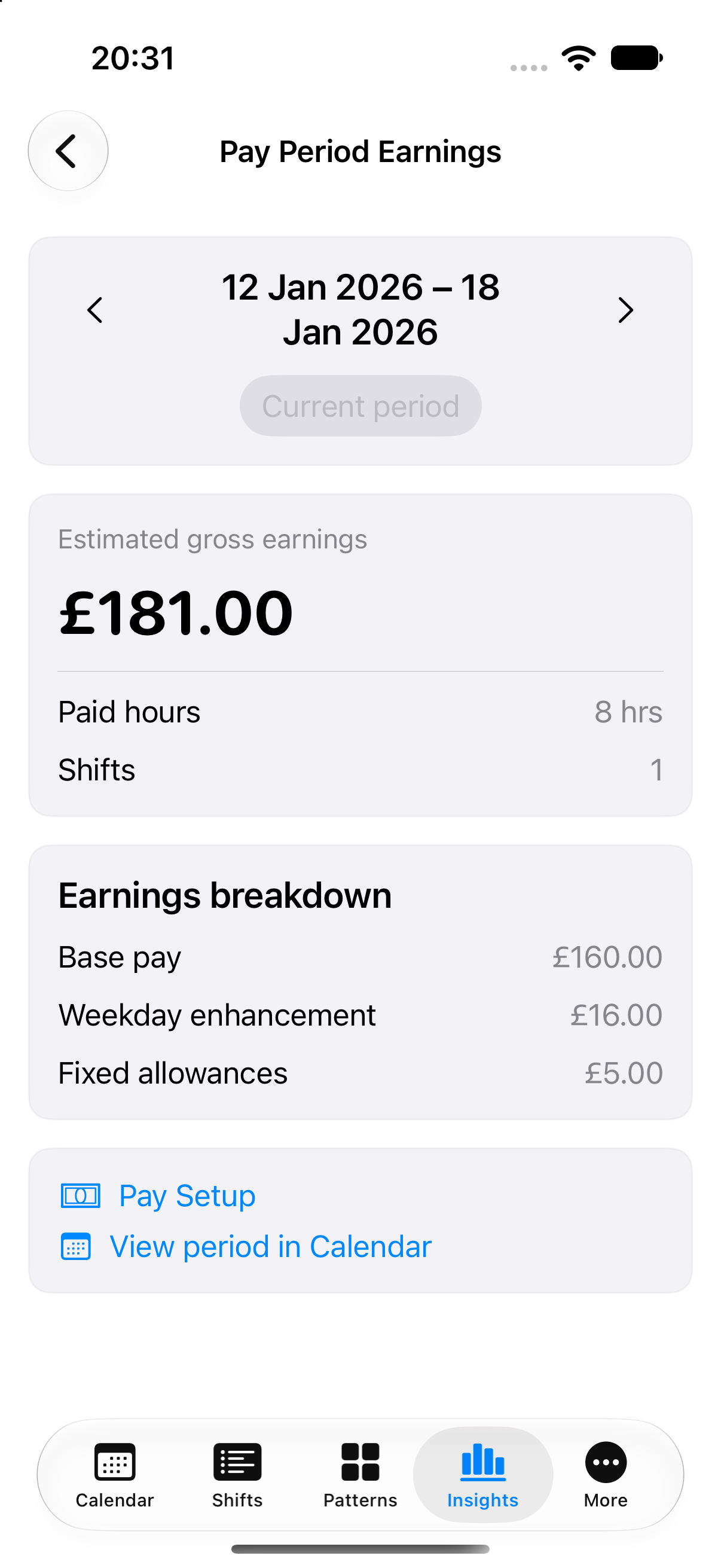
How the £181 example adds up
A separate made-up example for 12–18 January 2026: one Early shift on Thursday 15 January, from 07:00 to 15:00, with no unpaid break.
- Base pay: 8 paid hours × £20 = £160.00.
- Weekday enhancement: 8 paid hours × £2 = £16.00.
- Fixed allowance: £5.00 for the shift.
Estimated gross pay: £160 + £16 + £5 = £181.00.
These rates and allowances are illustrative. Estimates are not a payslip or guaranteed pay.
Zoom in for more detail
Scroll across and down to explore the image. Use the same heading to close this zoomed view.
iPad Calendar
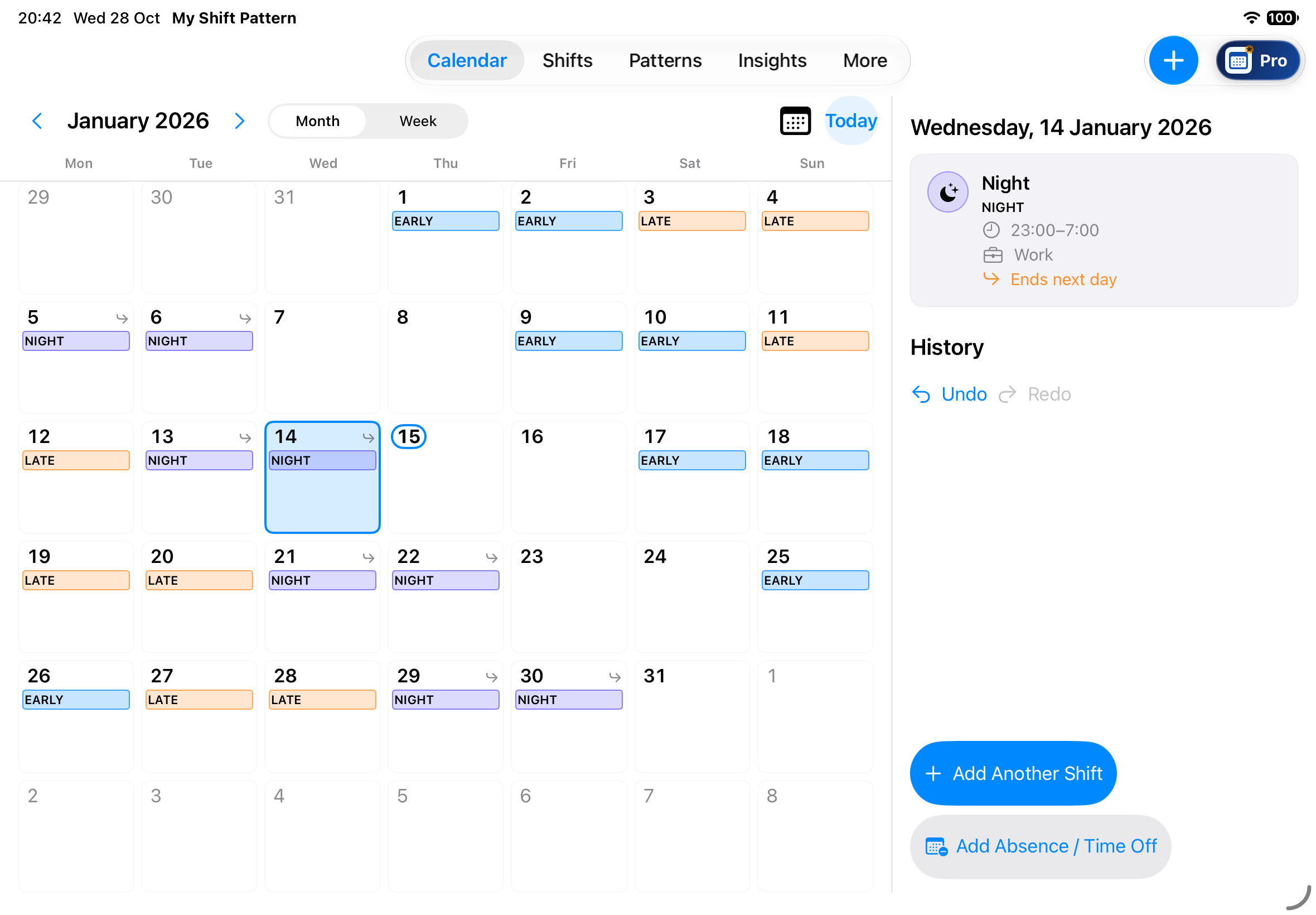
Core local planning on iPad, included in Free. This example uses made-up shifts.
Zoom in for more detail
Scroll across and down to explore the image. Use the same heading to close this zoomed view.